
What to Bring to Hospital

Regular Off Off

What to Bring to Hospital
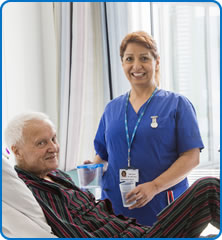
How can I get my belongings while in hospital?

You should bring your belongings in with you when you come to hospital but, if you need something else or have forgotten something, a friend or family member can bring your belongings to the Patient Belongings Drop Off Point in the main entrance, just past the face mask stand as you come into the Brunel Building. The staff there will then send the belongings to the patient.

What to bring

Please bring any medicines, tablets or inhalers that you take, including prescriptions, medicines that you have brought or alternative medicines, such as herbal remedies, with you into hospital. It is vital that we know about all of your medication.

Other items to remember to bring with you to hospital include:

  • Nightwear, dressing gown and slippers
  • Comfortable shoes, daywear and underwear
  • Tissues (more hygienic than handkerchiefs)
  • Wet wipes
  • Toothbrush, toothpaste, soap, deodorant and any other toiletries such as shaving equipment
  • Bath towel and a flannel/sponge
  • Sanitary products such as tampons (if required)
  • Chewing gum, if recommended by the ERAS team
  • Something to read
  • Any aid that you would normally use – for example, spectacles/contact lenses, walking frame, stick, crutches, wheelchair, prosthesis, CPAP machine
  • Bottle of squash
  • Private insurance details if appropriate
  • Mobile phone and charger
  • Small amount of money
  • Items of religious or spiritual importance
  • Admission letters and your NHS number.

What not to bring to hospital

Please do not bring:

  • Large amounts of money
  • Jewellery and valuable items or anything with strong sentimental value
  • Television or radio
  • Alcohol or tobacco.

If you have to bring valuables, please ask a nurse to store them safely for you. Please ensure that you get a receipt for your valuables. We are sorry, we cannot accept responsibility for loss or damage to items that you did not give to us for safe-keeping.
Before You Arrive at Hospital

Regular Off Off

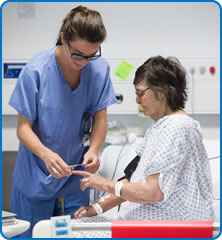
Before You Arrive at HospitalBefore you arrive at hospital, please make sure you tell us if you have any special requirements, for example:

  • Are disabled/have mobility problems
  • Eat a special diet
  • Use special equipment, such as a hoist or a support chair
  • Prefer to have written information in large print
  • Want us to arrange for an interpreter to translate into a different language
  • Want us to provide information through British Sign Language
  • Any questions you may have
  • If you wish to have a chaperone during your examination, please let us know. 

Please tell us as soon as possible if you cannot make the date we have given you by calling the number in the letter we sent with your admission details.

Don’t forget to cancel deliveries such as newspapers or milk and to make arrangements for pets.

If you receive a pension or State benefit please tell the Benefits Agency that you are coming into hospital.

Patient transport services

The patient transport service provides planned, non-emergency transport for eligible Bristol, North Somerset and South Gloucestershire patients to and from NHS hospitals and clinics, including outpatient departments, inter-hospital transfers, renal dialysis, oncology centres and your home. We may be experiencing delays for more information please visit the BNSSG (Bristol, North Somerset, South Gloucestershire Integrated Care Board) Patient support services page. 

It is only available for eligible patients for medical reasons. It is not available for trips to primary care services such as GP practices and is not part of the emergency ambulance service.

Step Inside Brunel

Step inside Brunel

Take a virtual tour of the inside the Atrium of the Brunel.

Neurosciences

Regular Off Off

The Institute of Neurosciences at North Bristol NHS Trust is located in the Brunel building at Southmead Hospital Bristol.

The Institute is the regional centre for Neurological services serving the South West of England. It provides specialised services for a wide spectrum of Neurological conditions:

  • Neurology
  • Neuroradiology
  • Neuropathology
  • Neurosurgery
  • Neuropsychiatry
  • Neurophysiology
  • Nursing
  • Physiotherapy

Since the 1940s the Institute has consistently been at the forefront of technical advances. The service has an excellent national and international reputation, with patient referrals from across the South West, throughout the UK and worldwide.

Using the very latest cutting edge techniques the Neurosciences team treat a wide range of conditions, Some examples include the use of pioneering deep brain stimulation techniques for the treatment of functional disorders such as Parkinson’s disease, led by Professor Gill, and developing the use of robotic surgery to deliver drugs directly into the brain with pinpoint accuracy.

There are strong links with the University of Bristol with ground-breaking research into the treatment of conditions including Multiple Sclerosis and Dementia, and the wider use of deep brain stimulation in the field of Pain management and Depression.

Right To Appeal

Regular Off Off

In any case where a Subject Access Request for information under the individual right of access is denied, it may be possible to appeal against this decision. In the first instance we would want any such appeals to be referred for an in-house review by the Trust, but there will also be a right of appeal to the Information Commission.

Information Commission

Responsibility for overseeing the operation of the Act rests with the Information Commissioner who is an independent public official responsible directly to Parliament. As well as approving Publication Schemes and promoting compliance with the Act, the Commissioner has powers of enforcement.

Crown Copyright

The material available through this Publication Scheme is subject to the Trust's copyright unless otherwise indicated. Unless expressly indicated on the material to the contrary, it may be reproduced free of charge in any format or medium, provided that it is reproduced accurately and not used in a misleading manner. Where any of the copyright items in this Scheme are being published or copied to others, you must identify the source of the material and acknowledge the copyright status. Permission to reproduce material does not extend to any material accessed through the Publication Scheme that is the copyright of third parties. You must obtain authorisation to reproduce such material from the copyright holders concerned.

Contact Information Governance

If you have any queries regarding a Subject Access Request, please contact Information Governance.
Email: Information.Governance@nbt.nhs.uk
Telephone: 0117 414 2019 (option 1)

If you have any queries regarding Freedom of Information requests, please contact the FOI team.
Email FOIArequests@nbt.nhs.uk

Environmental Information

Regular Off Off

Environmental Information Regulations apply to any information which:

  • Relates to the environment
  • Is held in accessible form
  • To be provided on request to any person who makes a request
  • To be made available for inspection by every person, who wishes to inspect them

For the purpose of these regulations, information relates to the Environment if, and only if, it relates to any of the following:

  • The state of the Water or Air
  • The state of any Flora or Fauna
  • The state of the Soil
  • The state of any natural site or other land

In these regulations "information" includes anything in any records:

  • "Records" include
  • Registers
  • Reports and returns
  • Computer records
  • Other records kept other than in a document

Making Environmental Information Available

It is the duty of the organisation to ensure that all information relating to this regulation be made available in accordance with the Freedom of Information procedures.

Information can also be found at www.direct.gov.uk/en/governmentcitizensandrights/yourrightsandresponsibilities/dg_4003239

Contact Information Governance

If you have any queries regarding a Subject Access Request, please contact Information Governance.
Email: Information.Governance@nbt.nhs.uk
Telephone: 0117 414 2019 (option 1)

If you have any queries regarding Freedom of Information requests, please contact the FOI team.
Email FOIArequests@nbt.nhs.uk

Raise a Concern/Complaint

Submitted by colin.shipton on
CAPTCHA
Solve this simple math problem and enter the result. E.g. for 1+3, enter 4.
This question is for testing whether or not you are a human visitor and to prevent automated spam submissions.
Off Regular

We want to hear your views

Contact the Patient Experience Team British Sign Language Video Communication

Cancelling an Appointment

Regular Off Off

Cancelling an AppointmentEvery year, tens of thousands of outpatient appointments are missed across Southmead Hospital Bristol and Cossham Hospital.

Forgetting about an appointment, not being able to cancel, difficulty getting time off work or worries about being admitted to hospital are some of the reasons that people do not attend.

We want to reduce the number of missed outpatient appointments which will allow us to treat more patients and reduce the time that people have to wait.

You can help us too! Please contact Outpatients Appointments as soon as possible if you cannot make your appointment date by calling the number on the letter we sent with your admission details.

Alternatively, if you have been referred to a specialist by your GP and you have an appointment reference number and a password you can visit NHS eReferrals to book, change or cancel your appointment online. You can also do this by telephone using the number you have been given by your GP to make your booking. NHS eReferrals is a national electronic referral service which gives patients a choice of place, date and time for their first outpatient appointment in a hospital or clinic.

Cancelling an Outpatients Appointment

To cancel an Outpatients appointment, telephone: 0300 5550103.
Email Outpatients

E learning & Managing your Training Information

Regular Off Off

LEARN - NBT's Learning Management System

LEARN provides a platform for our staff and contractors to complete eLearning and check their Mandatory and Statutory Training (MaST) compliance, as well as managing training records and booking onto the relevant training sessions.

You will need to use Google Chrome to access LEARN from all devices (Windows PC, MacBook, tablet etc.), as LEARN does not function as well in other internet browsers. Please also ensure you keep Google Chrome up to date because LEARN may not perform properly in an out-of-date browser.
 

NBT direct employees

If you are an NBT direct employee (you have a valid account in ESR containing an assignment/employee number), you can access LEARN via the following hyperlink: https://nbt.kallidus-suite.com/ on a trust PC or laptop, or your own device. 

For issues logging in, please contact the Service Desk on 0117 414 2020 or ext. 2020. For more information on LEARN, including FAQs and training videos, visit LINK.
 

External staff and partners

If you work with NBT but do not have a valid account in ESR containing an assignment/employee number (such as volunteers), or you are a partner, LEARN can be accessed using the following hyperlink https://nbt.kallidus-suite.com/external. You will need to use your existing MLE username and password to log in.

For queries and forgotten passwords, please contact the Staff Development Team at staffdevelopment@nbt.nhs.uk or on 0117 414 9248 for assistance.